
The short answer
Which games and consoles work best for a gaming party?
The best selection combines games guests recognise, multiplayer experiences that are easy to join and a few memorable activities such as racing, VR or retro gaming. Choose according to the age range, guest numbers and interests rather than assuming one console suits everyone.
The available equipment varies by setup, so compare the complete gaming party packages before booking.
01
Start with the people who will play
Before comparing hardware, understand the group. A party for experienced teenagers may need a different balance from a younger birthday, mixed-age family gathering or corporate team event.
Ask these questions first
- What is the age range?
- How many guests are likely to play?
- Are they beginners, regular players or a mixture?
- Do they prefer racing, sport, party games, action or retro titles?
- Will adults and children participate together?
Use the Party Planning Guide to connect these answers with the venue and schedule.
02
Understand what each console adds to the setup
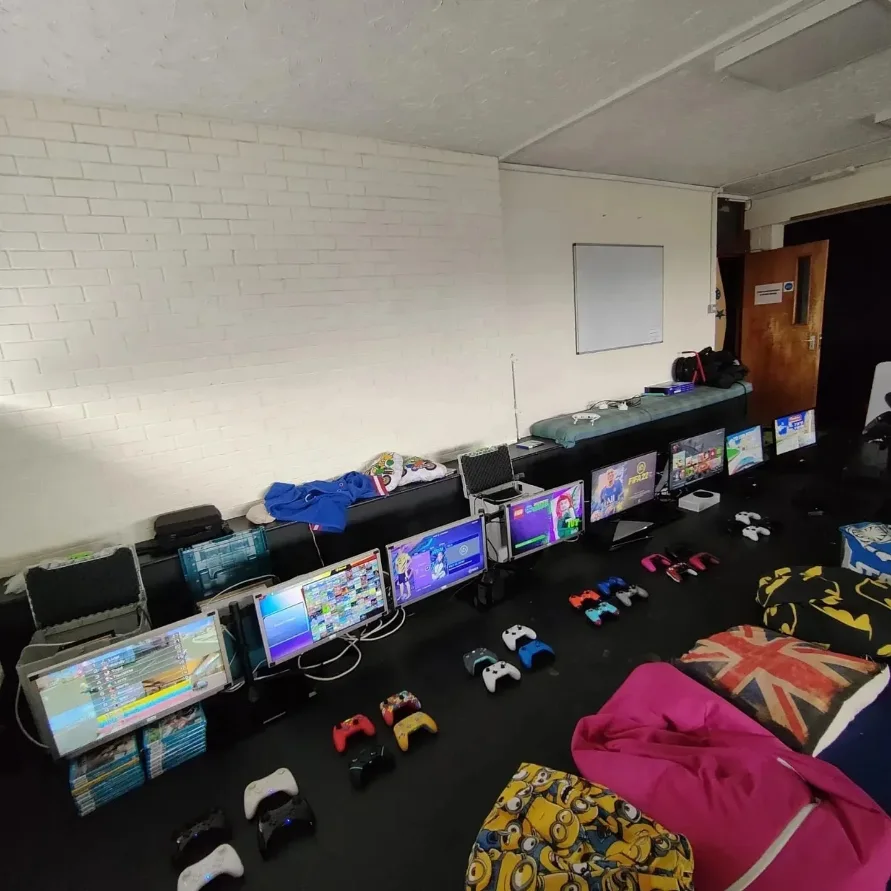
Home & Away Gaming packages use different combinations of PlayStation, Xbox and Nintendo equipment. The value comes from the mix: guests can move between game styles instead of queuing for one identical experience.
Always use the individual package page as the final equipment list, because inclusions differ between Bronze, Silver, Gold, Ultimate and Tent Party bookings.
03
Prioritise games that invite participation
Party gaming works best when guests can understand the objective quickly, take turns without lengthy setup and enjoy watching as well as playing. Familiar multiplayer formats help reduce the gap between confident gamers and beginners.
- Choose games with clear controls and short rounds.
- Mix competitive and cooperative experiences.
- Avoid relying entirely on long single-player campaigns.
- Use team formats when the group is larger.
- Keep alternatives ready when one title does not interest everyone.
For rotations, teams and tournaments, continue to the Group Gaming Guide.
04
Add one or two standout experiences
Consoles provide the foundation, while specialist activities create talking points. Depending on the selected package, these can include VR, Daytona USA racing with steering wheels, pedals and seats, or retro gaming.
Specialist experiences can attract attention, but they should sit alongside accessible multiplayer stations. This gives guests something memorable without making the entire party depend on one activity.
The Silver package introduces the racing setup, while the Ultimate and Tent Party packages combine a broader range of console, racing, VR and retro experiences. Confirm current inclusions on the package comparison.
05
Match game suitability to the audience
A game’s popularity does not automatically make it suitable for every guest. Consider age classifications, themes, complexity, competition level and how the experience will work in a shared event environment.
- Tell the team the full expected age range.
- Discuss any games or themes you want to avoid.
- Include simple options for younger guests and beginners.
- Plan mixed-age games when families will play together.
- Set reasonable boundaries for competitive behaviour.
Read the Gaming Safety Guide for age suitability, event environment and responsible participation.
06
Build variety without creating confusion
More equipment is useful only when guests can understand their options. Group stations into a few clear experiences—such as multiplayer consoles, racing, VR and retro—then explain how guests can move between them.
Offer enough variety for different interests, but keep the event structure clear. Short rounds and visible station changes help more guests experience the complete setup.
For a larger school, youth club, corporate or festival audience, organised rotations may work better than completely open play.
07
Complete the games and consoles checklist
- Guest ages and experience reviewed
- Interests and favourite game styles considered
- Package equipment checked carefully
- Multiplayer options included
- Beginner-friendly games available
- Specialist racing or VR planned
- Age suitability considered
- Group rotation format agreed
Have another question about equipment or package inclusions? Browse the complete Gaming Party FAQ or contact Gareth.